
Access, Agency and Equity in Learner Engagement Activities

Advanced Organizers:
- Engagement activities need to be selected or designed for an objective: engagement with the material, with other learners, with the educator, etc.
- Engagement activities in online and technology-integrated learning environments can be designed equitably and agentively to engage learners with disabilities.
- Understanding common experiences of digital disablement helps us avoid inadvertently disabling students and causing them to disengage.
Educators commonly express concern about engagement issues, specifically about declining student engagement in online and hybrid classes. When faced with nothing but black screens and oppressive crickets in class, it can be tempting to search for successful engagement activities to try to boost student engagement.
Any good learning designer will tell you, choose classroom activities to meet specified objectives. Is your objective general engagement, i.e. signs of life? Or are you actually hoping to inspire students to make connections with the material? With each other? With you? Each objective might be approached differently.
Any chance your students wonder how engaged you are with them?
Even before you start identifying objectives and activities, consider taking a step back to look at your relationship with your students. Can you point to relationship-building work you do that demonstrates respect for learners and builds learner trust? Would students in your class say they can tell you are invested in their success, or is there any chance they could be wondering if you know if they are there or not, if they exist or not?
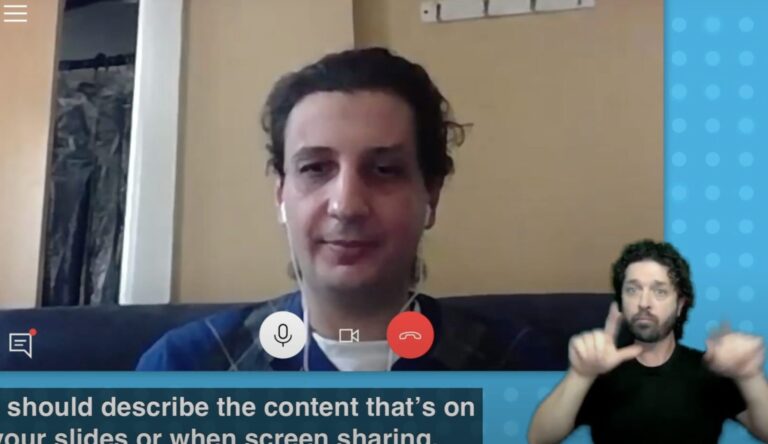
I recently participated in a panel discussion on student engagement in online learning environments for the Manitoba Flexible Learning Hub with Sharmila Vijayann from the University of Manitoba’s Centre for the Advancement of Teaching and Learning. Her key message to educators: learners are more engaged in classes where they feel seen and feel like they have a relationship with their educator. She discussed relational facilitation techniques in online teaching environments that can build trust, empathy and inclusion. Here’s why, Sharmila says:
- Trust: Enables students to take intellectual risks, seek help, and participate without fear of judgment.
- Empathy: Fosters psychological safety, responsiveness to diverse needs, and meaningful connections.
- Inclusion: Ensures diverse learners feel seen, heard, and capable of contributing in accessible ways.
Sharmila’s handout on relational facilitation is available at the end of this post. When educators build better relationships with their students, they see increased engagement in their classrooms. (Bonus: starting from a place of respect and trust makes orchestrated engagement activities less awkward/painful for everyone involved).
Designing accessible learning activities shows respect.
We always want to create equitable and agentive means of engaging students, including learners with disabilities. This means designing or selecting learning activities that attend to the disclosed learning needs of the people in the classroom and being mindful that not all learners with disabilities will have disclosed their needs. Therefore, we can use Transformative Digital Accessibility Praxis to centre access and agency for all.
If you aren’t familiar with Transformative Digital Accessibility Praxis, one of the key principles is that digital accessibility is talked about as a visceral, sociocultural phenomenon. It is experienced inside the human body and it is influenced by external factors including environments, language, education and cultural norms. It isn’t a tech thing. This means, our everyday teaching praxis and our digital work habits are a platform to transform people’s experiences of learning.
What follows is a selection of themes of experiences of digital disablement. It is by no means exhaustive. Below, each theme is presented with one or two examples of ways that we can unintentionally cause digital disablement in engagement activities AND one or two action you can take to build trust and accessibility instead.
Themes of Digital Disablement
- Strain / pain / fatigue – visceral sensations
- Excluded / talked over
- Blocked from collaborating or participating fully
- Blocked from showing what they know
- Invisible extra workload and slowed momentum
Reflection: When designing engagement activities for online learning environments, consider these experiences of digital disablement.
Imagine how they influence engagement.
Consider how they effect: trust, empathy and inclusion.
1. Strain / pain / fatigue – visceral sensations
Common issue: When the font in a photocopied and scanned reading is small and fuzzy, learners can’t zoom it or use text to speech on it because it’s an image. If it hurts to try to read the text, or learners are blocked from reading it because it is illegible by their technology, how well will they engage in a discussion activity based on it?
Action 1
To reduce strain, pain and fatigue for learners, ensure all your readings are digitally accessible. If you don’t know how to, work with the library to curate digitally accessible texts for the class. You never know who will benefit from this.
Action 2
Tell learners in your syllabus that readings have been curated to be digitally accessible, and if they encounter issues with the readability of a text to let you know. This shows all learners you are working to make accessibility central to the course.
2. Excluded / talked over
Common Issue: People often think a quick and lively conversation demonstrates high engagement. However, D/deaf and hard of hearing learners who use ASL, or captions report regularly being talked over and excluded in Zoom, and in person, by people who keep conversations rolling in unintelligible ways. Multiple people speaking at once or interrupting each other can’t be translated clearly, slowing down a reader’s comprehension and ability to follow and join a conversation.
Action 1
People who use ASL translation or captions, need educators to moderate conversations to be slower paced. Remind participants at the start of discussions to speak one at a time and allow people to complete their thoughts. Intentionally create occasional pauses for all learners to catch up, digest, and join in.
These steps also help learners who are hesitant to join conversations for reasons ranging from having a speech related disability, to being an additional language learner, to being someone who gets overwhelmed when things move too quickly.
We never know who participates by reading captions, or who can benefit from being given a few more seconds to collect their thoughts into words. It’s important to create openings in conversations in online Zoom-type environments, and in classroom learning environments.
Action 2
Consider alternatives to synchronous, spoken class discussions to demonstrate engagement. If you notice a D/deaf or hard of hearing learner isn’t joining into discussions, talk to them about ideas they have for engaging with their classmates during class time to build and share knowledge.
The student might be into deconstructing a paper in Hypothes.is, or maybe they have small group peer editing and critique strategies they could demo for the class. Both can be high engagement activities for students that you could integrate into class time, which are more focused on reading and writing skills than verbal skills.
If you see a learner isn’t participating, don’t assume they don’t want to. Check in. Students with disabilities know their strengths and where they struggle and though the attention might make some students uncomfortable (even when done privately), most would be thrilled to have an educator build a class engagement activity around their strengths for once.
3. Blocked from collaborating or participating fully
Common Issue: Digital collaborations – team projects – are becoming very popular but they can be very challenging for learners with disabilities and put them at a disadvantage within the group. This is true of both small in-class engagement activities and coursework.
Action 1
It is important for educators to instruct teams to prioritize agency, access and equity in their digital workflow. Teach students that you value how they work together as much as their final product. This basically doubles or triples the learning. In addition to their subject matter, students are nudged to look for the value of being exposed to other people’s ways of learning and working, instead of potentially feeling hindered by them, or inadvertently learning to steamroll people.
Group work can be complex when one or more learners’ digital practices disable a learner in a group. For example, many learners favour synchronous online writing and editing sessions but what if one learner in a group uses assistive technology and isn’t able to make their best contribution in live sessions? What if they voice their preference for asynchronous work but have been outvoted by a group that doesn’t understand or appreciate the agency and accessibility issues at stake?
Students can’t be expected to know or negotiate equitable digital practices in all circumstances. This is where an educator needs to take an active role in supporting equity and agency by checking in on groups, not just on their understanding of the subject matter but also on the group’s workflow. If a group is having accessibility issues, an educator who checks in will find out early enough to get them the support they need.
Of course, this assumes the educator is prioritizing agency, access and equity in their own digital workflow with learners, and is in a position to model the behaviour.
Action 2
Group work is so central to the ethos at Royal Roads University, they developed a policy that all team projects start with a team contract. Before students start work, they discuss roles, time commitments, technology use, etc. to plan for things that can otherwise derail group projects. This normalizes making time to discuss the how of group work and puts tricky conversations at the start of projects. This is where conversations about agency, access and equity belong, giving teams time to learn and seek help if they need it.
4. Blocked from showing what they know
Common Issue: Many interactive tools used for engagement and learning activities have known accessibility issues. Some online polling tools and discussion boards, as well as all mind mapping tools and whiteboards are inoperable and imperceivable for visually impaired learners who use assistive technology. Additionally, Hypothes.is which can be a fantastic social annotation tool is also problematic for blind learners using screen readers and has a tricky workflow for people who use text-to-speech.
Even the practice of hosting the meeting in one environment (e.g., Zoom), and pushing learners to another environment to participate in an activity (e.g. a third-party polling tool, or a Google doc) creates problems. Some assistive technology can’t interact with links in the chat, which is where people commonly share links. Blind learners, learners with tremors, even learners with old phones won’t be able to scan QR codes to participate.
Action 1
Always share your slides with links, 3-7 days in advance. This allows learners using assistive technology, and learners who need more time to process instructions/steps, or material to familiarize themselves with the plan for the class. Learners can even open the links on their computer in advance of class. They won’t be left out because they couldn’t get to the tool.
Action 2
If you plan to use an engagement tool and you don’t know if it will have accessibility issues for your learners, consider adopting these anti-oppressive approaches:
- Ask your Centre for Teaching and Learning if the tool you want to use has any known digital accessibility issues, and if it does ask them for good alternatives.
- Tell people in your syllabus what technology you plan to use for engagement and learning activities. Ask them to contact you if they anticipate an accessibility issue and be clear that you can make adjustments to ensure everyone can show what they know.
When educators address digital accessibility like this in the syllabus, learners come to them with issues at the start of semester. This practice gives you an opportunity to seek help or pivot before the last minute. It also demonstrates your respect, and your desire to include everyone at the very start of your relationship with students. - Work with all learners, reaching out specifically to disabled learners, to co-create engagement activities and learning activities. Since no one educator can be expected to know every possible accessibility hurdle, participatory design is one way to ensure multiple perspectives are part of idea generation for engagement activity design.
- Consider feminist approaches to engagement and learning activities. For example, instead of taking an individualist approach where each individual learner competes for space to write their thoughts on a class whiteboard or mind map, learners can build knowledge in teams. Team scribes can write for everyone on their team so that no one in the group is disadvantaged by not being able to operate inaccessible technology. Team announcers can voice what’s being written or how things are being placed in a visualization tool so people who cannot see the screen can still visualize the team’s work. These roles might rotate so that responsibility and skill-building is shared.
- If a disabled learner is unable to participate in a social engagement or learning activity, and changing the activity for the class using one of the above tactics isn’t an option, work with the learner to identify an alternative means for them to show what they know.
This is critical: ensure the alternative means retains the social learning benefits and does not remove the disabled learner from the learning community. Separate isn’t equal. If all the other learners are building knowledge together, e.g., in a discussion forum, it isn’t appropriate to have a learner whose assistive technology doesn’t interface with the forum simply email you directly with their responses. Why? Because the class is missing out on learning from that student and the student is missing out on learning from their classmates’ potential replies to their thoughts.
When we go back to that classic learning design question of what’s the learning objective? Presumably, the discussion forum activity was selected for learners to build knowledge and understanding of the subject matter together. A learner who has to email their discussion responses to the professor directly might be able to demonstrate their knowledge of the subject (or fulfil a course requirement) but is unable to build knowledge with colleagues.
5. Invisible extra workload and slowed momentum
Strain, pain and fatigue, being excluded, talked over, blocked from participating fully, or showing what you know is cumulatively exhausting. Constantly attempting to mitigate that exhaustion contributes to invisible extra workload and slowed momentum, which are also common themes reported by learners with disabilities.
Mitigation looks like dealing with accommodations services red tape, getting digitally accessible copies of readings made, or sourcing them for yourself (because it’s faster), educating educators and peers about accessible digital practices, troubleshooting your own tech issues because the university help desk can’t support issues that involve your assistive technology, and on and on.
How many of your disabled learners are showing up to class exhausted?
It’s important to acknowledge that not all students are able to go bounding through their university years. For some, just showing up, silently with their camera off might be maximum level, top quality engagement. Attending might be their demonstration of a total commitment to your class. This is another good reason for building relationships with your learners in various ways. Someone who never speaks up, who you think might be phoning it in, could be pushing their physical limits to attend your class and just doesn’t want anyone to see they have to do the class from bed, or that they experience tics that effect their speech. You never know, unless you check in.
Check-Ins Can be Engagement Activities
People might not think of a check-in as an engagement activity, but again, think back to the learning designer’s question. What is your objective? If you want to build engagement – build relationship – between your students and you, then check-ins are wonderful tools.
A few weeks into the semester, you can use a survey, a simple email, or any accessible tool in your LMS to ask learners specifically about how engaged they feel so far AND if they have any issues with accessibility or with exercising their agency and equity in the class.
Of course, you have to plan time to address any issues that students raise. Not responding to learners when they bravely report an issue is worse than not asking in the first place and will damage engagement.
On the flip side, any effort they see you make to address their concerns about accessibility, agency and equity builds trust, and as Vijayann tells us, trust builds engagement. You could repeat the activity after the midway point of the semester or at the end of term to see how you move the needle with learners over the term.
Would you solicit anonymous feedback or not? Some learners are more comfortable responding to anonymous surveys, so you might get a better sense of the overall class vibe that way, but you won’t find out who needs what specifically. One option is to offer an anonymous survey but give learners the option of including their name if they need support for their accessibility, equity or agency issues.
We can design for access, equity and agency
To sum up this post:
- Building trust and demonstrating empathy with our students is foundational to learner engagement.
- Modelling digital accessibility practices and accessible digital workflows centres access.
- Engagement activities must have a clear objective.
- Understanding common experiences of digital disablement helps us avoid inadvertently disabling students and giving them reasons to disengage.
- Educators can take proactive steps to centre equity, agency and accessibility in praxis, and specifically in engagement activities.